Showing posts with label how-to. Show all posts

Saturday, November 24, 2007

twigghugger's Guide to Surviving the Holiday Season - Part 2: The Art of Wrapping "Nothing!"

So! You've decided that transitioning away from giving and getting stuff that will contribute to clutter, is for you. However, at the same time, perhaps you are also a little concerned that the actual giving experience could be a little underwhelming and impersonal.

Nothing could be farther from the truth!

Because you won't be frantically running around shopping, that should leave you with more time and energy to take a more creative approach to "wrapping" or presenting your intangible gifts. With a little imagination, you can have a lot of fun doing it. You can also put all those little "couldn't bear to part with" snippets of wrapping paper, old greeting cards, bits of ribbon, small gift boxes and other baubles you have stowed away to good use.

Imagine, de-cluttering and giving gifts at the same time! If I'm not mistaken, that's a two-fer right there!

Printer Prowess

If you've got a laser or ink-jet, color printer, NOW is the perfect time to take a moment to actually check out some of those e-newsletters you've probably been receiving but ignoring, from your printer vendor each month! Or, to take a second look at those inserts that accompany your ink-cartridges. Both often describe all sorts of fun, exciting and hopefully simple projects you too can make with your very own printer.
For our purposes, this will mostly involve designing and creating unique certificates or note cards in order to inject a little something special into your "personal favors" or gift card exchanges. I'm sure you will be quite amazed at what you can come up with and that your printer can gracefully jump through your artistic hoops.

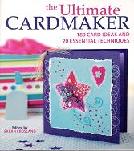
In The Ultimate Cardmaker: 180 Card Ideas & 20 Essential Techniques" edited by Sarah Crosland (ISBN-13: 978-0-7153-2596-4), there's a wealth of card ideas that you could probably adapt for non-tangible gift presentations. I picked it up last week (ah yes...craft books are one of my weaknesses!)

That's a Wrap!

As hinted above, wrapping intangibles can provide excellent opportunities for making use of the odd bit of wrapping paper and various other gewgaws. In "Simply Green Giving: Create Beautiful and Organic Wrapping, Tags, and Gifts From Everyday Materials" (ISBN-13: 978-0-06-112277-4), Danny Seo has a variety of clever gift wrapping ideas that make use of items you might find around the house (for you or I they’re clut-ter-ing the house) or which can be picked up inexpensively at flea markets or thrift stores.


It's a small book with only four chapters, but I think it packs quite a wallop:

  • Chapter 1: Cards and Tags
  • Chapter 2: Boxes
  • Chapter 3: Gift Wrap and Bows
  • Chapter 4: Handmade Giving
Check out Chapter 4, p.102 for a cute way to gussy up that otherwise, innocuous little gift card.

In addition to his book, Seo has a blog with a never-ending parade of creative and innovative, but inexpensive gift or reuse ideas.

Another website with fun wrapping ideas is WrapArt, but, I'm sure there are plenty of other sites like it out there.

Below are some examples of my Inner Krafty Kat in action. Be forwarned! The pix ain't fancy, but they should give a more visual idea of what I'm talking about. These are a few items from my very own wrapping stash: ribbon, tissue paper, bows, and a box! And then, what I did with those items (MacGyver eat your heart out!)


Here is another gift that I wrapped using a technique from the Wrap Art site:

Now, Tag IT!

Old greeting cards are a great alternative to those drab, store bought gift tags so go through that stash (and I know you've got one!) and see what you can come up with. Colorful, shiny, or sparkly cards are good choices. With a hole punch and some ribbon you'll be good to go. You can cut them up into rectangles and take advantage of the random, colorful patterns that emerge, or cut out elements of the card itself, which might lend themselves to making unique or decorative tags. There will probably be snowman, ornaments and other holiday icons a-plenty to get the job done.

If you're feeling particularly ambitious you might have a go at re-using....are you ready for this one....? Old business cards to make a more elaborate gift tag! Because you and I both know, you can't seem to order less than 10,000 of them at a time and invariably the information will probably change before you can possibly use them all. Head right over to Chapter 1 , p. 2 of Seo's "Simply Green Giving" to get the low down on making these tags, as well as a host of other innovative gift tag ideas.

Anyway! That should keep you busy (and clutter free) for the moment!

Happy Wrapping!

twigghugger's Guide to Surviving the Holiday Season - Part 1: Giving, Getting and How!

Sorry it's been so long since I last posted, but my decluttering activities have outstripped my ability to keep up with writing about them. More on that in the future, but for now...

It's hard to believe that Thanksgiving has already come and gone! But, perhaps even more significant for the Packrat, is the day after Thanksgiving, aka Black Friday, which has traditionally marked the official start of the holiday shopping season. All those shoppers lining up at the crack of dawn, waiting for the stores to open....I shudder at the thought of what this means for folk like us. If you (or someone you know) have been diligently working all year long to declutter your space AND can actually see some progress, then this time of the year could represent a serious setback to your hard earned success.

Below are six suggestions to help keep that momentum going. It is by no means an exhaustive list, but should at least get the wheels in your brain turning for “giving” alternatives. Because these ideas may represent a dramatic departure from what you’ve done in the past, it may be a good idea to discuss it first within your giving circle. This way everyone understands what is trying to be accomplished, is on the same page and awkward surprises or disappointments are avoided. To my mind the ultimate goal is to keep the holiday clutter in check.

  1. Exchange the intangible instead of the physical - give or make gift certificates for:

    • services: a day at the spa, a manicure, a hair salon visit, cell phone minutes, ring tones or whatever other doo-dads are hot this year for the mobile communicator

    • an entertainment or event experience: theatre or movie tickets, a Netflix gift certificate (to those who know me...hint...hint...;-) ), dinner for two at a local restaurant

    • personal favors: promises to baby-sit, shovel snow, rake leaves, or keep the [pick an area of the house] tidy

  2. The Gift Card - heck, with perhaps the exception of the personal favors, there's probably a gift card to be had for anything else in the other categories I just listed. You can get them easily enough at the particular establishment or order them from the merchants’ websites (e.g., Barnes & Noble, Starbuck's, Trader Joes, Target's, Red Lobster (yeah!) to name a few). Recently, I've even noticed kiosks at my local pharmacy, displaying all manner of gift cards for sale!

    The main take-away here is that this option facilitates targeted giving, allowing the recipient to choose their very own heart's desire (and from their favorite store to boot), rather than your having to guess at what that might be. How can either of you go wrong?!

  3. Give the Gift of Blog - encourage the writer in your midst. Creating a blog is easier than falling off a log, at least on Blogger it is. I've given the Gift of Blog twice already! My Inner Packrat took a vacation day and I pressed my Inner Krafty Kat into service. In each case, I created and designed a special blog gift card, recycling bits of leftover gift-wrap and greeting cards to create something new and fabulous!

  4. Snacks! - gifts of food are inherently un-cluttery, since they will likely need to be consumed within a specific period of time. As a result, they won't wear out their welcome by taking up too much space, at least for very long. Gifts of food can be store bought or for a nice personal touch, made with your own two little hands! Think mini quick breads, muffins, cakes, cookies, jams or jellies, fruit baskets, cheeses, wine and other beverages, munchie packs for movie night...the possibilities are really endless.

    Two books that survived my Great Book Purge were Gifts of Good Taste and Gifts That Taste Good both edited by Anne Van Wagner Young (Leisure Arts (c) 1989.

    A quick search at either of the two big online booksellers revealed that used copies of these (and other similar) books are still available. Of course, I got my copies before the Internet came along, but I'm sure there's a website or a blog out there that's chock full of ideas to suit your tastes (and yes the pun was intended! {{giggle}}

  5. Charitable Donations - Sites such as Just Give.org or Network For Good.org (also known as "charity portals") offer a variety of options for charitable gift giving such as:

    • charity gift certificates
    • ability to create wedding registries or charity wish lists
    • shopping via charity malls
    • charity auctions

    Options such as these will allow others to make a donation in your name or to have a portion of the proceeds from actual goods purchased through a charity mall, to be donated to an organization or cause (e.g. mycause.com) of your/their choice.

    Just Give provides a variety of tools that enables someone to search and identify organizations to donate to, and which have also been screened as fitting certain criteria, defined at their site (see also Check Out That Charity for additional tips on selecting and evaluating a charity).

    Please Note: that in order to provide this service to non-profit organizations, charity portals do deduct a small fee from each donation transaction (in the case of Just Give it's 3%). This is just something to be aware of and keep in mind when deciding how much to donate or even whether a given charity agrees with this condition and will accept donations generated through portal sites.

    Perhaps you're thinking that charging such a fee might impose a hardship on organizations already strapped for funds, however for some it is actually more cost effective to do it this way then to recruit, retain and pay personnel to provide e-commerce functionality for themselves.

  6. The Wish List - Finally, if you must or still want to give actual "things" the wish list is another way to more effectively focus gift giving by getting items a recipient truly wants or needs. If you've done any kind of online shopping you will probably be familiar with the wish list. If not, the wish list, is similar in concept to the bridal or baby shower registry, allowing you to add selected items from the site to a list for future reference. The drawback is that if there are several sites that a person frequents, gift givers will have to be directed to multiple places, which could be tedious.

    Not to worry! I came across a couple of sites (and undoubtedly there are many, many more) that allow you to coordinate and manage wish lists from multiple sources and share them with others.

    froogle.google.com/shoppinglist

    This link basically takes you to the "Google Product Search" page. In the upper right hand corner is a link to "My Shopping List". If you already have a Google or Gmail account, then you're pretty much already in business to use the service, otherwise you'll need to create an account. This service is in beta, so it was difficult to find any written explanation for how the wish list part works, but it's pretty easy to figure out if you poke around a bit.

    …and no, I’m not a shill for Google! I just either already use or happened to stumble across these services, but if you find or use something you like better, that’s fine too!

    thethingsiwant.com

    Another site I came across was The Things I Want.com I haven't actually tried it, but according to the site "...TheThingsIWant.com is an all-occasion universal gift registry site that enables users to add any item from any site to their wish list. "

So there you have it. I hope these suggestions have given you some ideas to keep from re-accumulating too much stuff over the holidays.

Good Luck and Good Giving!

Next up: twigghugger's Guide to Surviving the Holiday Season - Part 2: The Art of Wrapping "Nothing!"

Sunday, October 14, 2007

Scaling Your Magazine Mountains

Last week in Magazine Madness I discussed my attempts to find solutions for dealing with old magazines. Other than recycling, I really didn't find too many, but I did figure out a better way to organize what I had. In the absence of actually getting rid of stuff, organizing it can be the next best thing to help make clutter more manageable.

My magazines used to be stacked about in various and precarious piles, which I would shift from one place to the other or have to restack. Finally, I decided to go out and get some magazine holders, which come in all sorts of flavors: plastic, metal, cardboard, wicker, translucent, opaque, snazzy colors and so on. I settled on a simple cardboard version, readily obtainable at my local office supply store and easy to assemble by folding together. Also, although I didn't think about this at the time, if my magazine collection ever appreciably dwindles, I can just as easily break them back down for easy storage until they're needed again.

As I said, I had a lot of magazines so to make it less daunting, I would buy a package or two (2 to a package) each week, until I had enough. By doing it this way, I was able to break the task down into smaller segments, and actually see visible progress in moving from a state of disorganization to one that was more orderly. I say unto you, the ability to trick one's Inner Packrat by any means necessary is a skill that should not be underrated.

Now that the magazines are no longer toppling over, I am better able to select which ones I want to review and then determine those I want to keep and those I will get rid of. For example, I had about eight year’s worth of PC World! However, I finally faced up to the fact that there was just no point to that. With the way technology changes so quickly, a lot of the information in them was just plain out of date.

Also, you may or may not have noticed this, but many magazine article topics recur every few years. They are either perennial favorites, or are updated to give them a new spin to address contemporary issues. This is another very good reason to stop hoarding old magazines! At some point what has come around once will go around again.

Yes, I know, for a Packrat things are never quite that easy. In spite of everything I've just said, one thinks they're might still be some useful tidbit of information which might never be written about again. In the case of my PC Worlds there were indeed some tips that I haven't seen again in later issues, so to satisfy myself, I went through them a little at a time, clipping the articles I wanted to save and tossing the rest.

I've just about finished! Whoo Hoo! My ultimate goal is to just keep the most current 3 years of this magazine and drop the oldest each year (sort of like what you're supposed to do with your old bills and banking statements every so often...you are doing that right...!?)

Anyway, happy climbing!

Saturday, October 6, 2007

Magazine Madness

Researching ways to reduce my magazine clutter was one of the things that originally propelled me onto my DeKlutter Quest. In this blog's inaugural post What Yet Another Blog!? I wrote about the difficulty of finding new homes for still usable stuff, and I have definitely found this to be the case when it comes to magazines.

After scouring the Internet for magazine donation, reuse or exchange options, what I have mostly found are articles with generic laundry lists of theoretical suggestions such as senior citizens' homes, medical office waiting rooms, or your local library, but very few references to individuals or organizations who are actually accepting such donations in practice. Organizations tend to have specific needs and wants that don't necessarily include or overlap with the Packrat's need or desire to get rid of things.

Libraries, for example, to the extent that they accept magazine donations at all, tend to be very specific about either the titles they are willing to take or how old they can be. They prefer magazines of a substantive or serious nature such as National Geographic or Architectural Digest as opposed to more popular fare like Cosmo or People. They will probably also require that magazines be no more than 6 months to a year old, (Hahahahahaha! Yeah right!). Depending on the title and a given library's particular needs, they may incorporate such donations into their existing collections, but it is more likely that they will be used in a "Friends of the Library" type group book sale to raise money.

I was able to get rid of several years' worth of back issues of Threads, a high-end sewing magazine in this manner (also a component of my fascination with fabric, written about in these here pages; see also A Fair & Square Send Off). I listed them at Throwplace.com® (see Throwing Away at Throwplace.com® . Oddly enough, an animal rescue non-profit took them to sell on eBay! I'm hoping to strike similar gold with a stash of Brill's Content.

Other places may be looking for vintage magazines or those published before a certain date. One site that I found was only looking for magazines published before 1945. Thankfully, I don't have anything that old! There's also the swapping alternative, either locally based where you can bring the magazines you don't want and trade them for something else, or via an Internet forum where people post their magazine wants and offers. Haven't tried that yet. Of course, if you have the fortitude you too can try the eBay route. As for myself, I haven't quite felt up to that either.

Anyway, together, the two criteria of time and topic may tend to rule out a substantial number of options for many of us, so the traditional paper-recycling route may be the only alternative. However, your mileage may vary depending on the needs of organizations in your particular community, so it doesn't hurt to investigate first. Helpful search terms might include:

  • magazine donation programs
  • magazine donations
  • reading material(s) donation(s) programs
  • reading material(s) donations
Good luck!

Next up, Scaling Your Magazine Mountains. Why? Because they are there and in the way!

Sunday, September 16, 2007

Card Shark

Up until now, I have mostly described projects that involve the removal of an item. However, as discussed in Weeding, even though you are paring down your belongings, there will still be some things that you want to keep or are not quite ready to get rid of just yet.

This summer one such project that I undertook was to pull out and examine the collections of cards and letters I had squirreled away. I am sure you know how that kind of stuff can accumulate! The insidiousness of this kind of accumulation is the strong sentimental attachments that may be associated with it.

Never-the-less, into the fray of sentiment I plunged, pulling the cards and letters from the various spots where I had stashed them. There were

  • letters to and from friends sent and received while in college and shortly after that period (this was before email y'all)
  • Christmas cards
  • birthday cards
  • Valentine's Day cards
  • graduation and other congratulatory cards
  • wedding invitations, souvenir bride & groom photos, and other related ephemera
  • thank you notes
  • unused greeting cards, some purchased while in college! (oh yeah. . .BUT, I have since found new homes for those)
  • etc. (of course a Packrat's always got an etc. category!)

After all this time, I thought I would be able to part with the letters at least, but it turned out to be harder than I thought (Ahhh, sentimentality! The archenemy of the Packrat). But that's okay! Not to worry. If you find it particularly difficult to part with something, don't force it. Getting it sorted and/or organized can be the next best, workable compromise, and might help make stabs at future removal a little easier.

So, while I only managed to get rid of a small portion of the letters and cards, I organized what remained a little better.

  • all correspondence to and from a particular individual is now all together
  • the cards are now organized by type (birthday, Christmas, etc)
  • everything has been put into shoeboxes which are much easier to neatly store in the closet, than the plastic bags they were in before.

If/when I am ready to finally get rid of them they will now all be together in one place, making it much easier to review and at once, rather than unexpectedly stumbling across stashes here or there every so often.

Saturday, September 8, 2007

Check-out That Charity!

As I mentioned earlier this week a clutter Exit Strategy will often involve donating your no-longer-needed items to a non-profit or charitable organization. In this entry, I will discuss a couple of tools available to help you learn more about the organization to whom may have chosen to donate your stuff. They will help you to determine
  • whether an organization is a legitimate non-profit or charitable operation
  • an organization's particular mission and the communities or constituencies it serves
  • an organization's tax-exempt status (useful, if you would like your donation to be tax deductible)
  • if any complaints have been filed against an organization and whether they were satisfactorily resolved

Two of the tools that I have previously used are GuideStar and the Better Business Bureau's (BBB) Wise Giving Alliance at Give.org.

GuideStar

GuideStar is a comprehensive source of information regarding organizations operating within the non-profit sector. Their database includes information on hundreds of thousands of charitable and non-profit organizations across the country. Note: Some of the information in a organization's profile is only available with a premium access subscription, but what is freely available should be more than sufficient for the purposes identified above.

At the search page just type the name of the organization you are looking up into the search field and click the search button. A list of possible organizations from which to choose will be displayed. There are also classification codes (the NTEE Classification System) that you can search by, if you want to pinpoint organizations involved in specific types of activities (e.g. youth, the environment, the arts, etc.) For a more complete listing of those codes visit NCCS.

Anyway, click a link to see additional information. Be forewarned that you will need to register with GuideStar in order to click through to this basic record! Yes, this is a little inconvenient, but registration is free and is much less inconvenient than finding out later that those clothes you realized you were never going to wear again didn't end up getting to other people who could really use them.

Once you have registered and logged in, a free, basic search will yield the following types of information:

  • the organization's name and address
  • a contact person along with a telephone and fax number (email address info in the profile is, unfortunately, only part of premium access. . .)
  • a website if available (. . .however you may be able to pick that up here)
  • a brief description of the organization and its goals
  • the type of tax-exempt status an organization has (there are nearly 40 categories!) and whether contributions to the organization are deductible, as provided by law
  • whether they are required to file an IRS Form 990 or 990-EZ with the IRS and if available, links to .PDFs of those previously filed
  • when the organization's GuideStar profile was last updated
  • whether an organization makes its audited financial statements available to the public
Other information included in the basic profile if available and which might be of interest is

  • year founded
  • location(s) served
  • additional detailed information about an organization's programs and achievements
For additional tips and information to keep in mind when investigating a charity see GuideStar for Donors.

Better Business Bureau's Wise Giving Alliance

Give.org also provides information to help you evaluate a charity. Additionally, they maintain a list of organizations that solicit funds on a national basis (the National Charity Reports Index) with links to reports evaluating them in terms of the BBB's voluntary charity standards. To find information regarding regional or local charities, you will need to visit the corresponding BBB for that region or locale. Go to the BBB Look-up page.

Now you will be better able to make an informed decision about choosing a new home for your stuff.

Happy Giving!

Friday, June 29, 2007

Weeding

In the upcoming months I will be undertaking a variety of weeding projects.

What is this? Well, many deklutter projects involve getting rid of those things you no longer need or use, however you will still end up having to keep some stuff, just not as much of it! For example clothing, magazines, CDs, audio-cassettes (anyone remember mix tapes....!?) Things like that.

Weeding involves the same underlying drill (see Getting Started (Part 2)):

  • Identify
  • Gather
  • and Remove

but is generally undertaken once you begin to tame or gain more control over your klutter. At this stage, it is no longer the overwhelming and undifferentiated mass of stuff it once was. It has hopefully become a little more organized or neater, making it easier to zero in and drill down on really specific deklutter projects.

For example, all those magazines you may have had are now in neat piles (or even better, magazine holders!) and in one area of the living room rather than scatted all over the house. You may have even already gotten rid of a lot of them, but there are still some left that you'd like to go through more closely. Perhaps there are individual articles you would still like to keep. Now you can!

Since I've had quite a bit of success in clearing a few larg-ish swathes of klutter (those extra computers for one thing! See A Tale of Two Computers), I can now begin to do "touch-up" work like this.

So, at my leisure, I will slowly be going through some of my stuff for a second round of cuts.

Stay tuned!

Monday, May 28, 2007

A Tale of Two Computers

In Digital Spring Cleaning and Diskard I mentioned that I had somehow come to harbor three computers in my tiny apartment. How could that happen, you ask?

Identify

I acquired one of the computers when I returned to graduate school, the first time around. It was the first PC that I ever owned. A CompuAdd PC running DOS. Great computer! Never had any real problems with it. Sturdy and solidly built. Just how sturdy I only truly discovered later, when I tried to extract the hard drive. But I digress.

I eventually bit the bullet and got a Windows PC, but not being entirely convinced that I would get along with it, I kept my CompuAdd as a sort of electronic security blanket. Eventually though, I used the CompuAdd PC less and less until it just sat shrouded in the corner, collecting dust.

This second computer, I only had for a couple of years before it needed to be replaced. As many of you may know, it can be quite a production (and a painful one!) to transfer your files and applications from an existing computer to a new one. Never mind having to then prepare it for a new owner if you decide to give it away or donate it to charity. However, with this computer, uncharacteristically, I somehow managed to accomplish these tasks relatively quickly and passed it on to my mother, who had finally decided she was ready to take her first steps into the world of computing.

I trundled along with my third computer for about seven or eight years, before it too began to conk out. Unfortunately, getting rid of it did not proceed as expeditiously. I was in the final throes of another academic experience {{{shudder}}}, and hoped it would hold out long enough for me to complete my coursework, which it thankfully did. Incredibly, I still had one more academic requirement to complete, so I just did not have the time nor the fortitude right then, to go through the contortions of breaking this third computer down, in order to get rid of it. It would be two more years, before I could even contemplate that project and then, due to my floppy disk dilemma (see Diskard for the sordid details), possession was extended a tad longer.

And so, this is how I came to have three computers in the house, not a completely unreasonable scenario, at least for a Packrat, right . . .?

Gather

Nevertheless, the day finally came when I truly accepted that I did not need to have three computers, when one would do just fine, and had the time to do something about it. The CompuAdd, trusty little computer that it was, went first. Its 5.25" drive no longer worked so I really had no further reason to keep it any longer. I even managed to suppress a compulsive thought that there might be stuff on the hard drive that was possibly worth keeping, which would have only needlessly delayed the inevitable. I consoled myself by reasoning that if I had not looked at it or needed it by now, I probably wouldn't miss it! However, as a slight concession to myself, I decided to remove the hard drive before getting rid of the computer altogether.

And, let me tell you, I might just as well have been trying to break into a safe! Those CompuAdds were solidly built machines. Tightly screwed (like lug nuts on a tire) and all but welded together. Once I managed to get inside the box, I had to figure out where the hard drive even was! It turned out to be tucked quite securely under the 3.5" floppy drive bay, which also had to be removed in order to get at the hard drive. All told, it took several hours to figure all this out, get everything apart so I could do the extraction and then put it back together. I very nearly gave up, especially since the computer drop was the next day. But you know what I always say . . . I am nothing if not persistent and at last the deed was done. Several months later, I repeated this drill with the other computer. Thankfully, getting the hard drive out of this one was much, much easier. Undoing one screw here, pressing a couple of release tabs there and POP! Instant access inside the box. And this time, the hard drive bay was not buried under some other component, but was instead easily spotted and also easily released by undoing one or two screws and pushing on a couple of tabs.

Remove

The computer and its related equipment will probably be some of the easiest stuff you'll ever get rid compared to other treasures you might accumulate over the years.

For one thing, relatively speaking, the tech industry is way ahead of manufacturers from other industries in incorporating "take backs" into their business practices. By that, I mean they have specific and explicit policies to facilitate the consumer's ability to properly dispose of their used or unwanted electronic gizmos, but more importantly, this information is readily communicated to the consumer at some point during the acquisition process or ownership phase. For example, printer cartridges. Within the packaging of the new cartridge, my printer manufacturer includes instructions along with a postage-paid return envelope for sending back the old one. Imagine being able to do the same with a pair of shoes or sneakers...an ironing board...? Anyway, you can check out the EPA's Plug-in Partners page for a listing of companies who have such a program in place.

Also, a variety of organizations have sprung up that either sponsor electronics drops, will pick up, or to whom you can send your old equipment for refurbishment or proper disposal. GreenDisk is one such organization that I've previously talked about and actually used (also discussed in Diskard). GreenCitizen, (I haven't used them) based in California is another. Every so often, the Lower East Side Ecology Center in NYC among other activities, sponsors electronics drops. Earth 911 is another excellent resource for finding out how and where various items, including electronics, can be recycled nation wide.

To dispose of each of my computers, I took advantage of one of the municipal electronics drops, which are scheduled from time to time by the city. Both times that I dropped my computers off, I found it extremely easy, convenient and well-organized. They were held in locations to which you can drive your car if you choose. Once there, personnel then direct you to the particular spot where they will unload the stuff from your car, after which they point you in the direction to exit the area. Each time, I was on my way in less than 5 or 10 minutes. In fact, the hardest part was getting the stuff down from my apartment and into the car, beforehand.

Really, I can't see any good reason not to take advantage of the available opportunities to get rid of this type of stuff. Also, while putting the finishing touches on this week's post I discovered that Staples just announced a massive takeback program. There's a press release at the Earth 911 site, here.

So, there you have it. What are you waiting for!

Sunday, May 6, 2007

The Diskard

The Diskard was one facet of my overall Electronics Discard Project (EDP), which I alluded to in the Digital Spring Cleaning entry last week.

Identify

Somehow, I had managed to accumulate about 13 boxes of 5.25" diskettes. Each box held or was capable of holding about ten diskettes, twenty with a little shameless cramming. I also had a number of what I think were never used, blank diskettes that my father had given me at some point. For those of you who may not be getting the picture (or don't want to face it), let me spell it out:

I HAD AMASSED A COLLECTION OF NEARLY 300 5.25" FLOPPY DISKETTES!

And, as some of you may also be very well aware, 5.25" diskettes are definitely a storage media of the past. For the less technologically savvy among you, in computer years, think of them as dinosaurs! So you know they weren't really serving any useful purpose other than to collect dust and take up space on a shelf in my apartment!

Why didn't I just toss them and be done with it!? Even with the length of time those diskettes had to have been sitting there, I still thought there might be some useful data worth preserving (Well, you never know!). My plan was to take a quick look at them, copy any files I wanted to keep over to 3.5" diskettes so that I could access them on my current computer, and delete the rest. Easy enough, right?!

Well that part of my plan proved to be a huge stumbling block on my DeKluttering Path. One of the three computers I had been harboring in my small abode (another facet of the EDP to be discussed in a future post) had both a 5.25" and 3.5" disk drive. Ordinarily it would have been just the ticket, however, its 5.25" drive was not working properly, and I never dreamed how difficult it would be to find a comparable set-up. Actually, finding a 5.25" drive wasn't even the main problem. There are plenty to be found on eBay! I even went to the trouble of setting up an eBay account in the hopes of successfully bidding for one! The true predicament became figuring out which one of the hundreds of such drives available would be compatible with the other computer system I had, which could accommodate a 5.25" drive, and then to somehow figure out how to install it correctly.

The only other solution, with which I occasionally flirted, was to purchase yet another system with the requisite floppy drives (also available on eBay), but that just seemed like waaaay too much trouble. It also involved bringing another computer into a house which already had too many of them, rather than getting rid of one. Basically, to my mind, a big step backwards!

Gather

However, I am nothing if not persistent. I finally thought to contact a cousin who troubleshoots and repairs computers and posed my problem to him. He was able to scavenge up a system for me, but more importantly, one that I could use at his house, rather than mine! But, I wasn't quite out of the woods yet! Both of us have busy schedules so it took a while for us to hook up. In the meanwhile, I got everything organized into a shopping bag and set it aside until we were finally able to get together.

<<--l-->>

Many of the diskettes were unreadable. It is very likely that over time they had simply gone bad. Also, another techy friend of mine advised that 5.25" drives can be finicky and may fail to read perfectly good diskettes. Oh well! I did the best I could, under the circumstances, and more or less accomplished my goal of copying some stuff, deleting other stuff, and finally determining what could be trashed. It ended up taking eight or nine hours, but I was determined and my inner Packrat was appeased. Plus, my cousin and I also had a really great time, just shooting the breeze while I did it.

I could now proceed to the "Remove" step of the DeKlutter drill. Thanks Julio!!!

Next up! My floppy diskette exit strategy: Green Disk!

Friday, January 26, 2007

Getting Started (Part 2)

Once you pick a Project, that is, you have selected an area of attack, you need to avoid setting off a Klutter Krisis, which can further impede your ability to get going. In this situation you have pysched yourself up, actually gotten together the items to be discarded, BUT, suddenly lose steam. The items either end up in the middle of the floor or in some other state of disarray.

All you've really done is shift or rearrange the original pile. To avoid this state of affairs, keep in mind this simple mantra!

  • Identify
  • Gather
  • and Remove

    You must have an exit strategy for your stuff, that is, the actual way in which you will "unconsume" your item(s). So, before you shift that pile, empty that draw, or clear that shelf, be sure to have a new home for it in mind.

    Advance planning will help you face the clutter head on, rather than giving in and avoiding it. A good exit strategy also creates permanently clear space! Unless you bring more stuff in, newly created space stays clear! This is incredibly self-reinforcing and should encourage you to keep up the good work.

    We are now ready to get down to business, and I will begin to talk about some of the specific solutions that I found to do just that.
  • Friday, January 19, 2007

    Getting Started (Part 1)

    So! You've finally come to the realization that it is time to take a stand against The Klutter! But how do you get started? How do you overcome that internal inclination to hoard?

    Before getting down to the nitty gritty of "unconsumption", I thought it would be useful to take a moment to talk about approaches for getting started, which can be a major stumbling block.

    The way I approached it was to slow down, get ahold of myself and take a moment to examine my stockpile. Rather than view it as an undifferentiated whole, I broke it down into discrete and indvidual de-cluttering projects.

    For example:

    • a single pile of books or magazines, not necessarily all the piles or the whole bookshelf
    • one particularly troublesome kitchen draw not necessarily all the kitchen draws or cabinets
    • just the medicine cabinet (or better yet, one shelf in the medicine cabinet!) not necessarily the entire bathroom

    You get the idea.

    Projects by definition (and for our purposes) should be self-contained. They should have a clear beginning, but more importantly, a clear END.

    By taking this approach, you can trick your Inner Packrat. The investment of time or effort for mini-projects is much less, and will seem less like a chore to be avoided at all costs. Also, by setting finite goals in advance, once completed, You Are Done, at least for the time being. Now, you can just walk away with a clear conscience and a real sense of accomplishment, which is self-reinforcing. If you feel motivated to do more, go with it, but anything else after that point is pure gravy!

    The point here is to break it down into manageable and less intimidating slices so you can get started in the first place. You do not need to attack the whole shebang in its entirety. Otherwise you will become overwhelmed and say to yourself "Hmm...maybe I'll do this later...." etc. etc.

    If you change your view of clearing clutter from being an Event to more of ongoing process or lifestyle change you will probably improve your ability to keep what you have under control as well as to rethink the acquisition of stuff to begin with.

    Next up: Getting Started (Part 2) - Avoid Setting off a Klutter Krisis!